Family trip budgets die in the gap between brochure prices and party math. A museum that “costs €18” is not €18 when two adults and two kids walk up. A theme park with age bands, add-on lockers, and a second-day option is not a single cell in a spreadsheet. Yet most planners still show solo-adult defaults — or worse, a blank field you fill with vibes.
TripPapa is built for party-aware pricing: you define who is travelling under Trips, then Pricing detail tabs estimate costs for that party with breakdowns and optional add-ons where enrichment exists. Estimates are planning aids, not invoices. You still verify on official sites before you pay. TripPapa does not book tickets.
This article is about budget trip planning when the party is the unit of cost: how ticket math actually works, how to separate estimates from commitments, how families use Day Planner and Export for money conversations, and how TripPapa’s loop — Trips → Research → Day Planner / Month View → Map → Export / Share — keeps budget and schedule in one workspace. For the product walkthrough, see How TripPapa Works. For the dedicated pricing deep-dive, see family party-aware pricing.
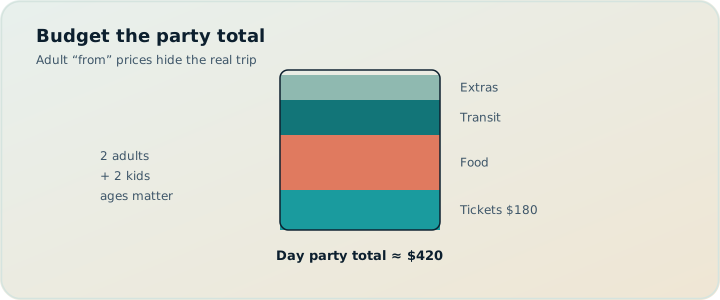
Why party size is a first-class planning input
Solo travelers can afford fuzzy ticket numbers. Families cannot. A 10% miss on a solo ticket is coffee money. A 10% miss across four people, three paid attractions, and two transit day passes is a real dinner. Worse: the miss is often not 10% — it is a category error. You budgeted “adult ticket × 4” when two of them are child-priced, or you forgot that under-six is free while seven is not.
Party-aware planning starts in Trips: adults and children with ages. That roster follows Pricing estimates later. Skip party setup and every cost becomes a solo-adult fantasy. Set it once so Research comparisons and Export summaries speak the same language as your bank account.
Defaults that also affect budget honesty:
- Home base — lodging is usually booked separately, but start/end legs from the hotel reveal unpaid time costs (and sometimes paid transit).
- Default transport mode — transit vs drive changes fare estimates and day shape.
- Typical visit duration and day start — overstuffed days create taxi panic spends when the plan collapses.
If your planner cannot say “for our party,” it is pricing a stranger’s trip.
Estimates vs invoices: keep the vocabulary clean
TripPapa’s Pricing tab can show party-aware estimates with sources/freshness cues where available. That is not a receipt. Treat numbers in three buckets:
- Planning estimates — good enough to compare options and size the trip.
- Verified tickets — confirmed on the official site or trusted seller; still not paid until checkout.
- Paid commitments — confirmation emails, card charges, cancellation rules.
Mixing those buckets is how spreadsheets lie. A cell labeled “Louvre” might be last year’s adult price, a blog’s guess, or a paid reservation. In TripPapa, keep estimates in Research/Pricing, keep the schedule in Day Planner, and keep paid confirmations in your email organizer (TripIt is excellent after booking; TripIt Pro is commonly $49/year — verify current pricing). TripPapa is the planner; it is not a booking inbox.
| Number type | Where it lives | Trust level |
|---|---|---|
| Party estimate | Research Pricing tab / Export summary | Planning aid — verify |
| Official ticket price | Attraction website | Pre-pay truth |
| Paid confirmation | Email / TripIt / OTA | Commitment |
| On-the-ground spend | Cards, cash, receipts | Actuals |
Ticket math families actually need
Useful budget questions are party-shaped:
- What is the total for our ages, not for “an adult”?
- Which stops are free for kids under a cutoff?
- Which days stack three paid entries and create sticker shock?
- Which wishlist items are expensive but unscheduled — still tempting mid-trip?
- Where do add-ons (audio guides, lockers, special exhibits) change the story?
In Research, open a place’s Pricing tab after you Search + Add. Compare two museums not by vibe alone but by party total and duration. A cheaper attraction that needs four hours may cost more in opportunity (and snacks) than a pricier two-hour highlight. Day Planner makes that trade visible because durations and travel legs sit next to costs.
Export’s cost summary rolls trip total and per-day itemization, with optional local/home currency when exchange rates are set. That is the document you use for the “what are we roughly spending on attractions?” conversation — not for tax accounting.
Scenario: Paris with two adults and two kids
Party: adults 38 and 40; children 7 and 11. Home base near a metro. Transit default. Wishlist: Louvre, Musée d’Orsay, a Seine walk (free), a special exhibit with timed entry, Disneyland day trip option still unassigned.
Research: Pricing on Louvre and Orsay for the party; Hours on Monday closures; Duration overrides for a shorter Orsay visit with kids. Day Planner: Louvre morning with leave time from home base; free afternoon walk so the day is not three paid tickets. Month View: move the special exhibit off the Louvre day after a pace warning. Map day mode: confirm the walk does not zigzag across town after the museum.
Budget conversation: Export PDF shows party estimates per day. Parents decide the Disney option stays in the appendix until they verify official ticket bundles — they do not book from an estimate. Grandparents get the PDF; partner gets a view-only share link. Nobody confuses the Export total with a credit-card charge.
Scenario: multi-city Europe on a fixed envelope
A family has a fixed “attractions + local transit” envelope separate from flights and hotels. They use TripPapa to keep that envelope honest: party estimates on paid stops, transit fare estimates when routing provides them, and a hard rule that any day whose Export itemization exceeds a soft cap must drop a paid stop or move it to the appendix. Month View Save & process after reshuffles so travel (and fare context) recomputes. AI auto-plan can draft a first assignment of unassigned wishlist items; Revert if the draft stacks three ticketed mornings. The budget discipline is human; the tool makes the stack visible.
Where budgets break without a planner
- Spreadsheet columns without party rows. One “price” column cannot express age bands.
- Maps + Notes. Great for pins; silent on party totals.
- Chat screenshots of ticket pages. Age out; nobody knows which is current.
- Booking-first OTAs. Optimize purchase flows, not feasibility of Tuesday.
- AI chat lists. Invent round numbers without your children’s ages.
Wanderlog is a strong collaborative planner (Pro $39.99/year; verify). Google Travel is a free dashboard for bookings and destinations. Spreadsheets still win for custom finance models. TripPapa’s edge for budget feasibility is party-aware estimates inside the same loop as days, travel legs, hours warnings, and PDF handoff — not live multi-edit, not flight alerts, not a Discovery quiz.
Comparisons: TripPapa vs Wanderlog, TripPapa vs Google Travel, Excel spreadsheet trip planning, why TripPapa beats spreadsheets.
Pace, hours, and the hidden cost of bad days
Money is not only tickets. An overloaded day creates taxis, snack-shop markup, and “we’re tired, just eat at the hotel” premiums. Pace and hours warnings are budget tools in disguise. When Day Planner warns that stops plus travel push past a heavy active-hours threshold (on the order of ten hours), the financial risk is real: you will pay to escape the plan. When hours warnings flag a closed arrival, the financial risk is a wasted prepaid ticket — which is why you verify hours before you book, then keep the schedule honest after.
Travel legs matter too. A “cheap” attraction across town may cost two transit fares and an hour of kid patience. Day Planner travel times keep that cost visible as mode, duration, and distance between stops — transit, drive, walk, or cycle.
A family budget workflow inside TripPapa
- Create the trip and enter the full party with ages.
- Search + Add candidates; tag expensive vs free options.
- Open Pricing on every paid stop you seriously consider.
- Schedule days with realistic durations; refresh travel.
- Resolve hours warnings before depositing money on timed entries.
- Use Month View to unstack expensive days; Save & process.
- Export cost summary for the household money conversation.
- Book on official sites / OTAs only after the day is feasible.
- Share view-only or PDF for alignment; keep editing rights central.
- Optional Cloud Save + magic link for backup on another device.
That order matters. Booking before feasibility is how families buy tickets for impossible Tuesdays. For the research-first philosophy, see wishlist before you book and when to book vs when to plan.
What TripPapa does not do with money
TripPapa does not process payments for attractions, flights, or hotels. It does not track your credit-card actuals. It does not sync airline PNRs. It does not promise price matches. Party-aware pricing is for planning clarity. Pass is $35 for 6 months for the product subscription — unrelated to attraction tickets. Confirm Pass details in-app.
FAQ
Are Pricing numbers guaranteed?
No. They are estimates with sources/freshness cues where available. Verify official sites before booking.
What if our party changes mid-planning?
Update party under Trips and revisit Pricing on key stops so totals match the new roster.
Can kids be free in estimates?
When enrichment includes age rules, party totals can reflect them. Still verify cutoffs — they change.
Do transit fares appear?
Fare estimates and transit steps appear when routing provides them. Treat as approximate; city passes may differ.
Can co-parents both edit costs?
Share links are view-only. One editor owns the workspace; discuss changes, then update centrally.
Should I put hotel prices in TripPapa?
Lodging is usually tracked in booking tools. TripPapa focuses on places, days, travel, and attraction-style estimates.
How does Export help budgets?
It prints party context and cost summaries for offline/family review without giving edit access.
Is this better than a budget spreadsheet?
Sheets win for custom finance models and actuals tracking. TripPapa wins when price, party, hours, and travel must stay attached to the schedule.
Honest competitor stack for money + logistics
Many families end up with a stack, and that can be healthy:
- TripPapa — feasibility planner with party estimates, days, legs, PDF/share.
- Google Travel / OTAs — booking dashboards (Google Travel free).
- TripIt — post-booking organization; Pro commonly $49/year for alerts.
- Spreadsheet — actuals, reimbursement, “who paid the Airbnb.”
- Wanderlog — collaborative planning alternative; Pro $39.99/year.
You do not need every tool. You need clear jobs. If your pain is party ticket math colliding with impossible days, start in TripPapa before you optimize the booking funnel.
Building a family money conversation without shame
Budget talks fail when they sound like accusations. Use Export’s cost summary as a neutral artifact: “Here is what attractions look like for our party if we do these days.” That framing invites tradeoffs — swap a paid afternoon for a free park, move a pricey exhibit to the appendix, shorten a theme-park add-on list — without blaming whoever suggested the expensive idea. Party-aware estimates make the conversation specific. Vague “museums are pricey” arguments dissolve when the page shows a concrete day total beside leave times and travel legs.
Separate envelopes help: lodging, transport between cities, daily food, and attractions. TripPapa helps most with the attractions envelope and the feasibility that prevents panic spending. Food remains human judgment; transit passes may need a local card product outside the planner. When a pace warning fires, translate it into money language for the group: overloaded days often create taxi and convenience-store premiums. Cutting one stop can be cheaper than “saving” it and paying to escape later.
For multi-household trips — cousins sharing a villa, grandparents contributing — agree who pays which ticket classes before you reach the window. The Pricing tab’s party breakdown is a planning aid for that agreement. Still verify official age cutoffs. Still pay on official sites. Still track actuals in a spreadsheet if reimbursements matter. TripPapa Pass at $35 for 6 months is a software cost, not a travel envelope; do not conflate them in the family budget doc.
Worked example: ticket stacking across three days
Imagine a city break with two adults and one child. Day 1 stacks a major museum and a tower viewpoint — both paid. Day 2 is a free neighborhood walk plus a modest paid gallery. Day 3 holds a theme-adjacent attraction still in the wishlist. After Pricing enrichment, Day 1’s party total dominates the Export summary. Month View moves the tower to Day 3 and leaves Day 1 as museum + free park. Save & process recomputes travel. The new Export no longer front-loads the attractions envelope, and the pace warning on Day 1 clears. Nothing about that improvement required an OTA. It required party math living next to the schedule.
Compare that to a spreadsheet with three price cells and no legs: the stack looks “fine” until the sidewalk collects transfer time and snack costs. Feasibility and budget are the same problem wearing different hats.
Currency, freshness, and skepticism
When Settings include exchange context, Export can show local and home currency cues — useful for households thinking in one currency while traveling in another. Freshness cues on estimates, where available, remind you that attraction prices move. Seasonal surcharges, temporary exhibits, and dynamic timed-entry pricing can all invalidate last month’s number. The correct emotional stance is skeptical gratitude: thankful for a planning signal, unwilling to treat it as a charge.
If enrichment is missing for a place, write a manual note and verify later — do not invent a fake precision cell. Search + Add still captures the place for scheduling; Pricing can wait until you are serious. That sequencing keeps Research fast without poisoning the budget conversation with made-up figures.
Transit passes and the “hidden” party cost
Attraction tickets dominate budget meetings, but local transit can surprise families just as hard — especially when each hop looks cheap until you multiply by party size and days. When routing provides fare estimates on travel legs, use them as directional signals inside Day Planner, then verify city pass products on official sites. Sometimes a family day pass wins; sometimes IC taps win; sometimes walking a cluster is the real savings. TripPapa will not auto-select a pass product. It will make hop frequency visible so you stop guessing from vibes.
Drive mode days swap fare math for fuel, parking, and tolls — track those in your ledger. The planner’s job is still whether the day is feasible without panic taxis after a pace meltdown.
Start with one paid day
Pick one city day with two paid stops. Enter the real party. Fetch Pricing. Schedule with travel legs. Export the cost summary. Compare that page to your old “€18 × 4” note. The gap is the reason party-aware planning exists.
Ready when you are: open TripPapa, set the party first, then Research with Pricing open — budgets get honest only when the roster is real.